
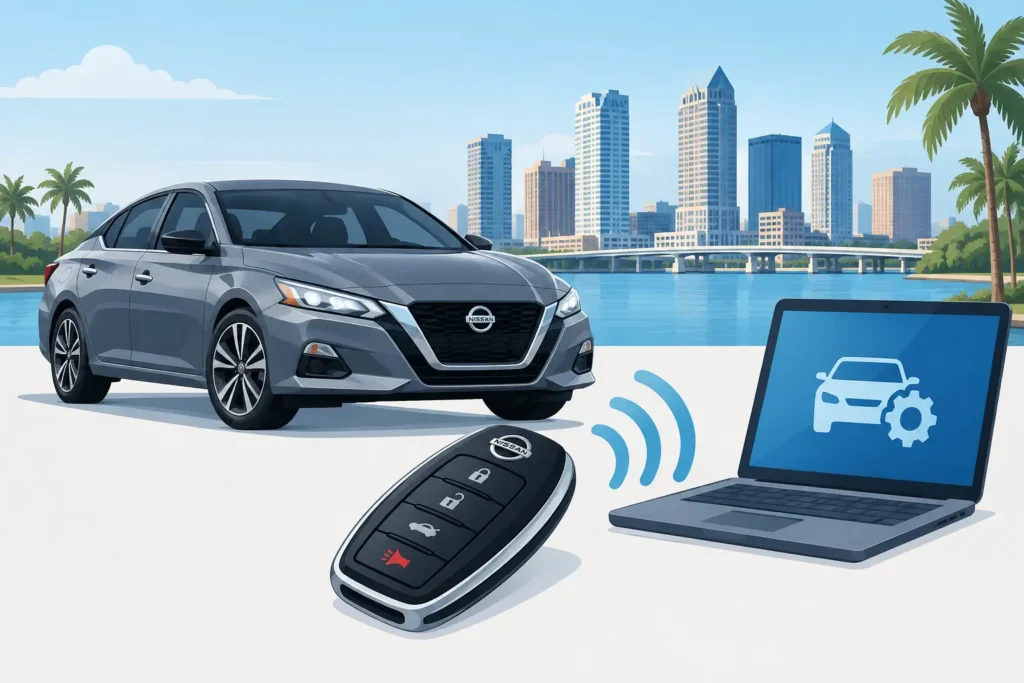
A Nissan remote that suddenly stops working can be more than a small inconvenience. Whether you are parked at work in Tampa, outside your home in Brandon, or stranded with a vehicle that will not recognize its key, the right Nissan remote programming guide starts with one question: what type of key system does your Nissan actually use?
That distinction matters. Some older Nissan remotes only control the door locks and can sometimes be paired through an in-vehicle procedure. Most newer Nissan keys use an immobilizer chip, an Intelligent Key system, or push-button start technology that requires professional programming equipment. Trying the wrong procedure can waste time, and in some cases a low-quality aftermarket remote may never pair correctly.
Identify Your Nissan Remote Before Programming
Nissan has used several key and remote styles over the years. The easiest way to avoid confusion is to look at what you have now, or what came with the vehicle when you bought it.
A traditional key with a separate remote usually has a metal ignition key and buttons for lock, unlock, panic, and sometimes trunk release. On many older models, the remote controls the doors while a separate transponder chip in the key communicates with the vehicle’s security system. Programming the remote functions does not necessarily program the chip needed to start the engine.
A flip key combines the metal blade and remote buttons into one unit. Depending on the Nissan model and year, it may have both remote and transponder functions. A replacement must be cut correctly and programmed for the vehicle to start and for the buttons to work.
An Intelligent Key, often called a proximity key or smart key, lets you unlock and start the vehicle while the fob is nearby. These are common on newer Altima, Rogue, Sentra, Murano, Pathfinder, Maxima, Titan, Armada, Frontier, Kicks, Versa, and Infiniti models. Intelligent Keys normally require a compatible programmed fob and specialized diagnostic tools.
The vehicle year, model, trim, and ignition type all affect the process. Two Nissan Rogues from different model years may look similar but use entirely different remotes and programming methods.
Nissan Remote Programming Guide: Start With the Simple Checks
Before assuming your Nissan remote needs programming, rule out the common causes of failure. A remote that was working yesterday but does nothing today is often dealing with a battery, contact, or fob issue rather than lost programming.
First, replace the coin-cell battery with the correct type listed inside the remote housing. Install it with the proper polarity, then test the buttons from close range. A weak battery can reduce range, cause inconsistent operation, or make an Intelligent Key appear dead even when the internal circuit is fine.
Next, inspect the remote carefully. Water exposure, a cracked shell, worn buttons, and corrosion around the battery contacts can all cause trouble. If the remote was dropped in water or went through the wash, replacing the battery alone may not solve it. Internal damage can affect either the lock-button functions, the transponder system, or both.
Also test a second working key, if you have one. If the spare fob works normally, the issue is likely limited to the first remote. If neither key works, the problem could involve vehicle battery voltage, the keyless entry receiver, a fuse, a door-lock issue, or a vehicle-side security system concern.
For Intelligent Key vehicles, use the emergency key blade to enter the vehicle if needed. Many Nissan models also have a designated emergency start location or a procedure for starting with a weak fob battery. Your owner’s manual for the exact model is the safest reference for that location and procedure.
When a Manual Programming Procedure May Work
Some older Nissan vehicles with a separate keyless-entry remote can enter a remote-registration mode through a sequence involving the ignition and door locks. The exact sequence is model-specific, and it is usually intended for a compatible remote that has already been verified for the vehicle.
A typical older-style process may involve sitting in the vehicle with all doors closed, cycling the key in the ignition several times within a short window, waiting for the hazard lights to flash, then pressing a button on the remote. That general description is not a universal instruction. On the wrong Nissan, it may do nothing at all. On a vehicle with a transponder key or Intelligent Key, it will not replace the required security programming.
If your Nissan is an older model with a separate remote, check the owner’s manual for the exact procedure for your year and model. Keep every remote you want to use with you during the process. Some systems erase previously stored remotes when a new one is registered, meaning the working remote must be added again at the same time.
Do not force the ignition, repeatedly cycle a damaged key, or keep attempting procedures after the vehicle behaves unexpectedly. A worn ignition cylinder or a failing key can create a separate problem that looks like a programming issue.
Why Newer Nissan Keys Need Professional Programming
Modern Nissan keys are part of the vehicle’s anti-theft system. The key may contain a transponder chip or use encrypted communication with the vehicle. A replacement Intelligent Key often needs to be registered to the vehicle, and the emergency blade must be cut to match the door and ignition locks where applicable.
Professional programming is especially appropriate when you have lost all keys, bought a used Nissan with only one key, replaced a damaged smart key, or see messages such as “No Key Detected.” It is also the sensible choice when the vehicle starts only intermittently, the remote works but the engine will not start, or the engine starts but the buttons do not function.
The replacement fob must match the vehicle’s required frequency, part number, and system type. Many online remotes look nearly identical, but an incorrect circuit board or incompatible aftermarket fob cannot be made to work simply by programming it. This is where identifying the vehicle first can prevent an unnecessary purchase.
At Locksmith Squad, we use professional automotive equipment to cut and program many Nissan keys and remotes at your location. Mobile service can be particularly helpful when the vehicle cannot be driven, all keys are missing, or you need a spare made without scheduling a dealership visit. Availability depends on the Nissan model, year, key type, and the condition of the vehicle’s existing locks and ignition.
Information That Helps Us Match the Right Key
When you call or text for Nissan key or remote help, the more accurate the details, the faster we can determine the available options. Have the year, model, trim if known, and your current location ready. Let us know whether the vehicle has a metal ignition key or push-button start, whether any working key remains, and whether you need a spare, a replacement remote, or an all-keys-lost solution.
Photos can help too. A clear image of the front and back of the existing remote, the key blade, and the vehicle’s push-button start or ignition can help confirm the style. If you have the vehicle identification number available, it may help verify the correct key information.
For a lost-key situation, be prepared to show proof that you own or are authorized to access the vehicle. This protects you and helps ensure key services are performed responsibly.
Avoid These Nissan Remote Mistakes
The least expensive-looking remote is not always the best value. A fob that is not compatible, has weak electronics, or arrives with the wrong emergency blade can create another round of programming and replacement costs. Quality replacement options and proper verification matter more than the appearance of the shell.
It also helps to make a spare before you lose the last working key. Adding a duplicate while one functioning key is still available is usually simpler than creating a key from scratch after all keys are gone. For families, shared vehicles, and work fleets, a tested spare can prevent a routine key problem from turning into a missed day or a tow situation.
If your Nissan remote is not responding, start with the battery and the exact key type. If the vehicle needs a transponder key, flip key, or Intelligent Key programmed, call or text Locksmith Squad with your Nissan details for availability and an estimate. We can come to many Tampa Bay locations and help you move from a nonworking remote to a key solution you can rely on.